RMM Technologies Logo

Contact info

Head Office - INDIA
SF No. 300/1, Industrial Estate,
Thannerpandhal Road,
Near Tidel Park, Peelamedu,
Coimbatore - 641004,
TN, INDIA.
USA Office
8 THE GRN,
DOVER, DE,
USA 19901.

Follow us

Trusted partner in SharePoint Excellence Join us now

SharePoint & Power Platform Experts

Decorative background shape for SharePoint Development
Decorative background shape for AI Copilot solutions
ENTERPRISE POWER PLATFORM SPECIALISTS

Power Apps Development Company & Consulting

Digitize manual operations, streamline complex approvals, and empower field workers with custom Canvas and Model-Driven Power Apps. RMM Technologies engineers secure, scalable applications connected smoothly to SharePoint Online, Dataverse, SQL, and external ERPs.

  • Custom Canvas & Model-Driven Power Apps tailored to your unique business logic
  • Seamless Dataverse, SharePoint Online, SQL & third-party ERP integrations
  • Role-based security, mobile-first responsiveness & offline data synchronization
★★★★★
110+ Business Apps Built for Enterprise Workforces
Microsoft Dataverse

Enterprise Data Sources

Microsoft Dataverse, SharePoint Lists, SQL & SAP APIs

Data Layer
Power Apps Studio & Component Framework (PCFs)
Microsoft Power Apps

Cross-Platform Power Apps

Responsive Mobile, Tablet, Web & Microsoft Teams Apps

Active App
Mobile-First Responsive UI
Role-Based Security RBAC
Real-Time Dataverse Sync

110+

Business Apps

250+

Processes Automated

35+

Quick Components

100%

Mobile & Web Responsive

ENTERPRISE ADVANTAGE

Rapid Low-Code Innovation With Full Enterprise Security

Traditional software development takes months of backend scaffolding and frontend engineering. Microsoft Power Apps combined with RMM's architectural expertise allows enterprises to deploy feature-rich, role-secured business applications in days and weeks rather than quarters.

Cross-Device Native Runs smoothly across iOS, Android, tablets, and desktop browsers.
1000+ Connectors Integrate directly with SharePoint, SAP, Salesforce, SQL, and REST APIs.
Entra ID Role Security Granular row-level and column-level security compliance.
Offline Capabilities Field technicians can capture data offline and auto-sync when reconnected.

Power Platform Ecosystem

  • Custom Canvas Apps Pixel-perfect, highly tailored UI for mobile inspections and field operations.
  • Model-Driven Applications Data-dense back-office systems powered by Microsoft Dataverse data models.
  • Power Pages External Portals Secure web portals for external customers, suppliers, and partner access.
OUR DEVELOPMENT SERVICES

Comprehensive Power Apps Capabilities

From initial UX wireframing to Dataverse modeling and enterprise ALM deployment.

Custom Canvas Applications

Deliver intuitive, touch-friendly mobile and tablet applications designed specifically for your field workforce, inventory management, or equipment inspection checklists.

Hire Power Apps Devs

Model-Driven Solutions

Engineer sophisticated back-office solutions with complex relational data models, role-based dashboards, and business process flows built atop Microsoft Dataverse.

Explore Dataverse

External Customer Portals

Extend Dataverse data securely to external vendors, clients, and partners through branded, responsive Power Pages websites with modern authentication.

Explore Power Pages

Power Automate Flow Integration

Automate multi-stage approvals, notifications, data transformations, and scheduled syncs between Power Apps and third-party SaaS platforms without writing custom backends.

Explore Power Automate

InfoPath & Access Modernization

Modernize deprecated SharePoint 2010/2013 InfoPath forms, legacy Microsoft Access databases, and Excel macros into cloud-native Power Platform apps.

Legacy Migration Scope

Power Platform CoE & ALM

Establish automated CI/CD pipelines via Azure DevOps/GitHub Actions, solution packaging, environment management, and Center of Excellence (CoE) governance.

Governance Details
DEVELOPMENT FRAMEWORK

Structured Power Apps Project Roadmap

A proven engineering framework designed to deliver secure, responsive Power Apps tailored to your business objectives.

Phase 01

Discovery, User Journey & Wireframing

We map user personas, workflow bottlenecks, and data sources to create interactive prototypes of your Power App.

Phase 02

Dataverse & SharePoint Schema Architecture

Design normalized tables, relational keys, security roles, and business rules inside Microsoft Dataverse or SharePoint lists.

Phase 03

Power Fx Logic & Power Automate Flows

Implement responsive UI layouts, offline caching, validation formulas, and automated background flows.

Phase 04

ALM Deployment, Testing & User Training

Deploy managed solutions across Dev, Test, and Prod environments with end-user documentation and admin enablement.

PLATFORM COMPARISON

Other Approaches vs RMM Power Apps Solutions

Why enterprise organizations choose Power Apps for digital transformation.

Feature Traditional Methods RMM Technologies
App Delivery Slow custom coding cycles Fast low-code development
UI & Usability Rigid standard layouts Responsive & user-friendly UI
Data Connectors Limited data sources Connects to SQL, SharePoint & APIs
Security Basic user permissions Role-based security & Dataverse
Maintenance Manual bug fixes Managed solutions & support
POWER PLATFORM SOLUTIONS

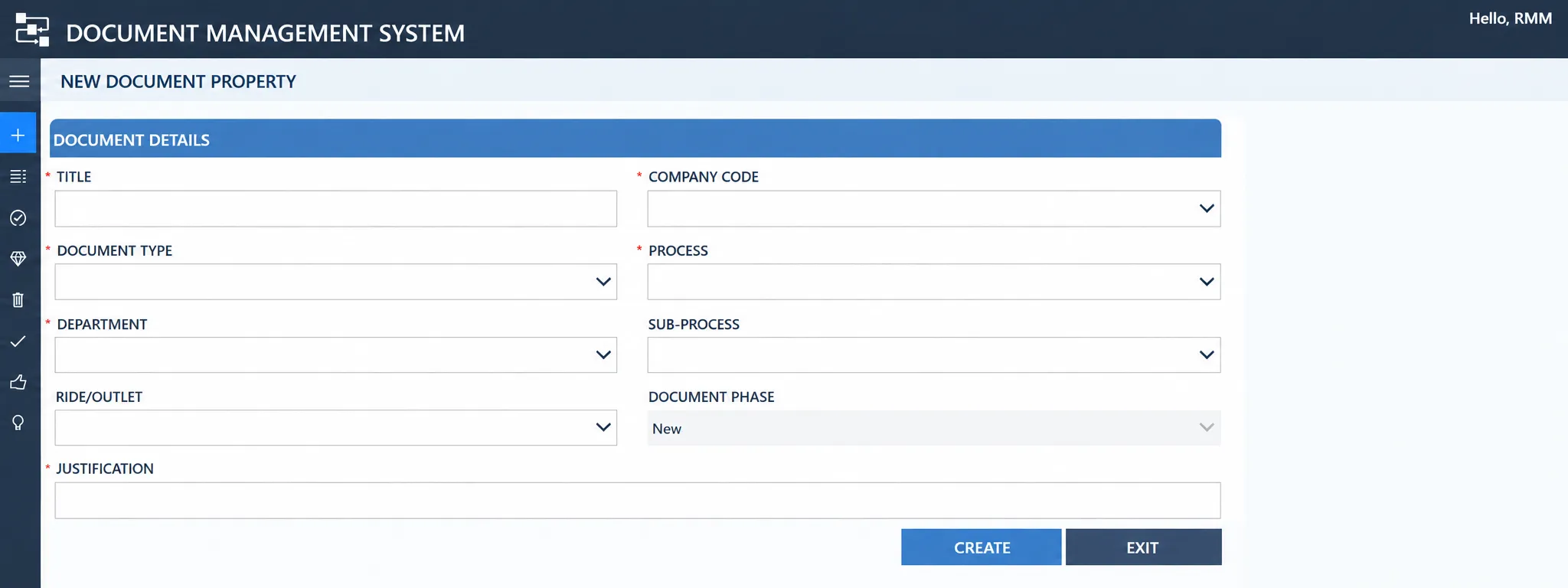
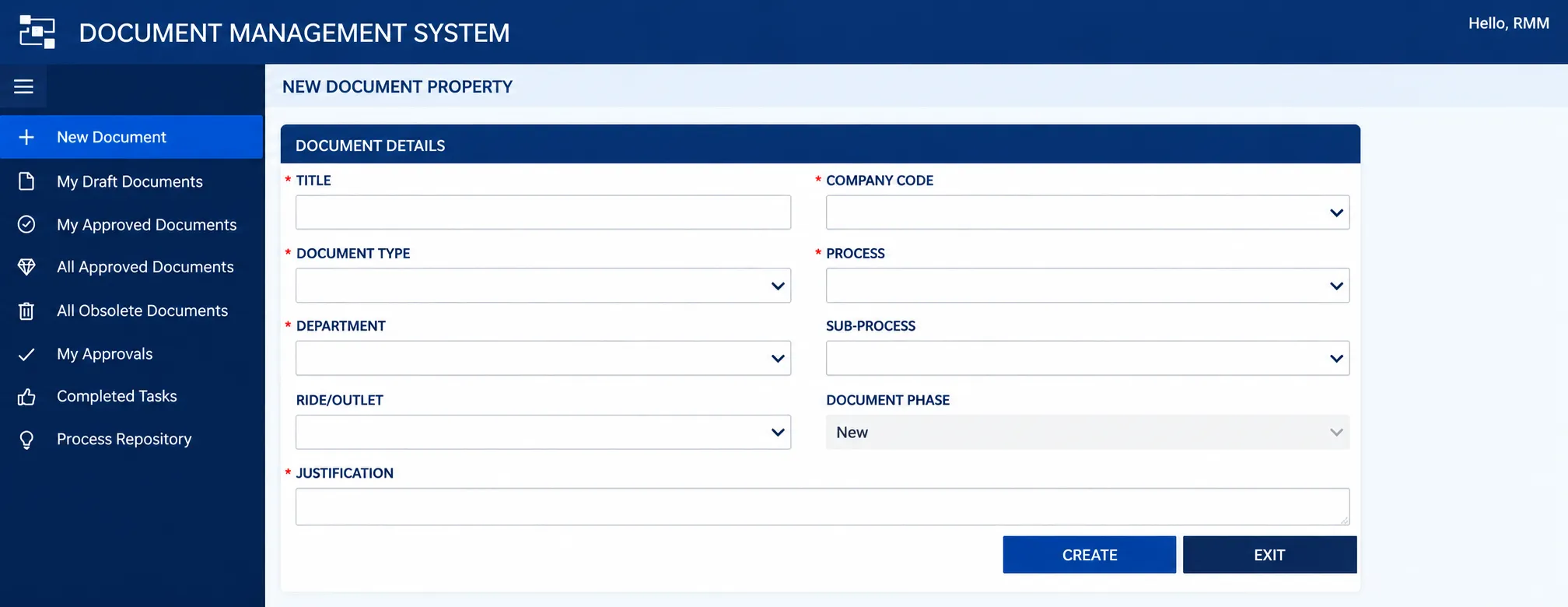
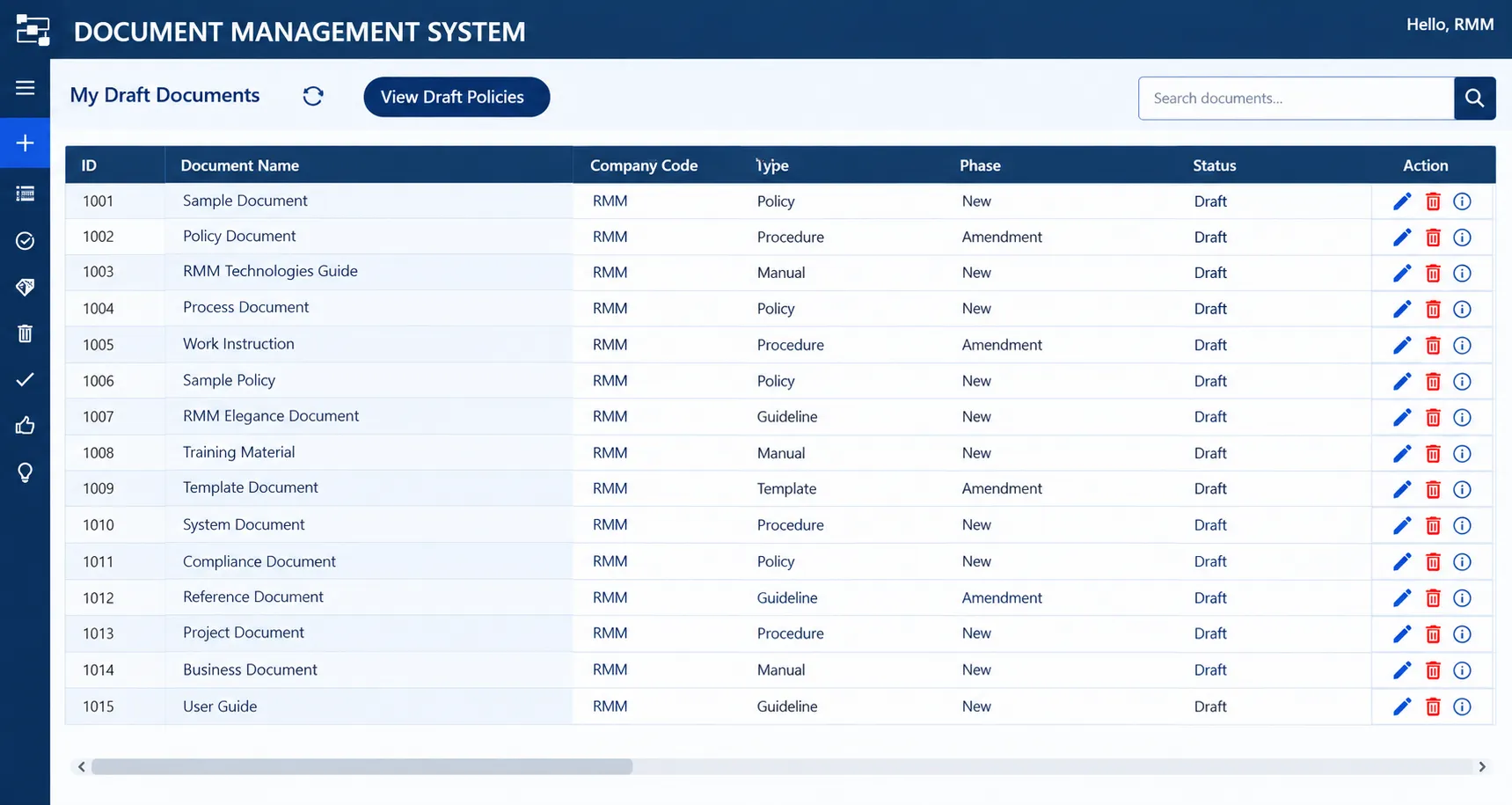
Featured Power Apps & Workflow Deployments

Explore custom model-driven apps, canvas interfaces, and automated business processes built for enterprise agility.

GLOBAL DELIVERY FOOTPRINT

Serving Enterprises Across Global Markets

Collaborating with organizations across the US, UK, UAE, Canada, Europe, Australia, and APAC with dedicated Microsoft 365 engineering teams.

United States

Dover DE (RMM TECH LLC), New York, California, Texas, Chicago

United Kingdom & Europe

London, Manchester, Edinburgh, Dublin, Amsterdam, Frankfurt

Dubai & UAE

Dubai Internet City, DIFC, Abu Dhabi, Sharjah, GCC

Saudi Arabia & GCC

Riyadh, Jeddah, Dammam, Doha, Kuwait City, Manama

Canada

Toronto, Vancouver, Montreal, Calgary, Ottawa

Australia & New Zealand

Sydney, Melbourne, Brisbane, Perth, Auckland

Singapore & Regional Hubs

Marina Bay, Raffles Place, Jurong, Global Hubs

Germany & DACH

Frankfurt, Munich, Berlin, Zurich, Vienna

India (Global CoE)

Coimbatore, Chennai, Bengaluru, Hyderabad, Pune, Mumbai, Delhi NCR

FAQs

Frequently asked questions

They are used to build custom business apps and automated workflows without heavy coding, connecting to SharePoint, SQL, and other systems to automate approvals, emails, and data updates.

The app triggers a workflow (like a leave request) that routes to managers, updates lists, sends alerts, and posts in Teams—all without complex manual coding.

Yes, we combine Power Apps with Power Automate and custom integrations to build advanced logic-based applications for multi-level approvals and enterprise-grade processes.

Yes, we integrate Microsoft security features like row-level security and conditional visibility to handle sensitive fields and PII data securely.

We use role-based access, data validation, and secure connectors to protect information in HR, finance, and compliance apps with proper governance.

We solve failures, delays, and loop errors by optimizing workflows with proper error handling, performance tuning, and continuous monitoring for reliability.

Yes, we build connected solutions that unify data across SharePoint, Microsoft 365, ERP systems, and third-party APIs to streamline business operations.

RMM Technologies - Frequently Asked Questions about SharePoint and AI

Need more support?

Expert on business mind crafting your path into ultimate success

Get more information

Turn Complex Workflows into Intuitive Custom Apps

Accelerate enterprise digitization with robust, mobile-ready Power Apps connected seamlessly to your business data.

Give us a call

Available from 9am to 7pm.

+91-98803 20879
Send us a message

Whatsapp us your message any time you want.

+91-98803 20879
Write to us

Send us an email.

Send enquiry

Quick contact or send enquiry for your business.